13 tools solopreneurs and small businesses rely on to get more done

Table of Contents
When you’re a solopreneur, founder, consultant, or freelancer, running your own business means wearing every hat. You’re the sales exec, chief marketing officer, customer support team, account manager, IT pro, head of operations …
On top of all that, you’re trying to figure out which of the hundreds of small business apps and tools will actually make things easier. With so much on your plate, you can’t afford for your software to be hit or miss. And you definitely don’t have time for a complex setup process or steep learning curve.
“Tech should reduce friction, not create it,” says
Terry Oppong, host of ThaCollabs Podcast and founder of BlackBand. “If it doesn’t help my business grow or run smoother, I skip it.”
So, where should you start?
We’ve rounded up 12 of the best business tools, according to solopreneurs, freelancers, consultants, and small business owners. These are the no-code apps they use every day to take repetitive tasks off their plates and move faster, so they can spend more time on what they do best. Plus, all of these tools offer a free trial and/or free plan, so you can take them for a spin before committing to a subscription.
1. Calendly
(Okay, we’re a little biased. But hear us out.)
If your business runs on client meetings, your scheduling process needs to be easy and quick. Calendly is a user-friendly scheduling platform for small businesses that takes the time-consuming work — and endless back-and-forth — out of booking and managing meetings.
“Calendly has become part of my daily toolkit,” says Wiktor Dyngosz, CEO and founder of Peakforce, an IT consulting and implementation firm. “I use it to coordinate calls with clients, partners, and my team without the usual back-and-forth. I’ve set up reminders and follow-ups that go out automatically, so I don’t have to think about them. It saves me at least a few hours each week.”
Here’s how it works:
You connect your calendar(s) to Calendly and set your available hours. Calendly uses this info to show your availability, so you never have to worry about double bookings. When you share your booking page, available times are automatically shown in invitees’ time zones — no mental math required.
Calendly uses this info to show your available meeting times on your booking page. When you share your Calendly booking page with prospects, they can choose an open time that works for them. In less than a minute, your meeting is booked!
You can also:
-
Get paid for your time by collecting payments at booking
-
Automate meeting reminders and follow-ups via email and SMS
-
Embed your booking calendar on your website
-
Automatically assign appointments to the right team members
-
Customize your booking page to match your brand
-
Connect with 100+ other apps, including video conferencing, task management, and communication tools
“Calendly saves me a ridiculous amount of back-and-forth scheduling client calls and SME interviews. I love that I can bill for coaching, and that it syncs with my GCal so I never miss a call,” says Rosanna Campbell, a freelance content writer and coach.

2. Stripe
If you need to process payments online, chances are you’re choosing Stripe. Stripe’s no-code payment tools make it especially easy for solo business owners to charge for products and services. You can build, customize, and send an invoice in just a few clicks, or create and share a custom payment page — no website required.
There are also countless integrations available for Stripe users, so you can connect the other tools you use to run your business. And if you use Calendly to book client meetings, we have a Stripe integration, too.
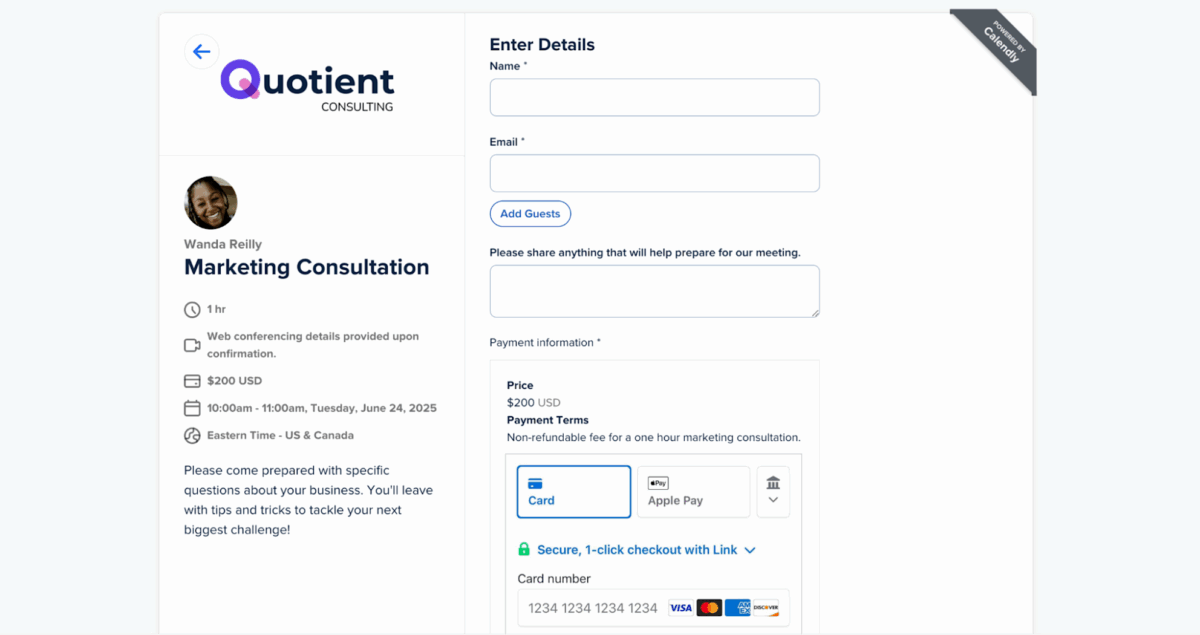
With Calendly’s Stripe integration, you can accept payments at booking to reduce no-shows and get paid for your time.
By integrating Stripe with Calendly, you can collect payments at booking, reducing no-shows and ensuring you’re paid for your time. Here are a few ways small businesses use Calendly + Stripe:
-
Sell coaching sessions
-
Get paid for your expertise as a contractor or consultant
-
Charge for “can I pick your brain?” sessions
-
And much more — your time is valuable!
Rachel Bicha, a B2B content strategist, uses Calendly + Stripe to book and charge for client calls and workshops. “I have a Calendly link with an hourly consulting rate built in via Stripe,” she says. “When someone that fits my ICP wants to pick my brain, they can book 30 minutes or an hour with the associated consulting fee and pay when they book their calendar invite. Super simple.”

3. LinkedIn
You probably already know LinkedIn as the go-to platform for networking and job hunting — but it’s also a powerful channel for growing your business.
By sharing insights, business updates, and thought leadership, you can build a strong LinkedIn following and leverage that to find new customers. LinkedIn also offers a Premium Business product that’s specifically designed to help solopreneurs and small businesses grow, expand their network, and find new connections.
Premium Business features like custom buttons, featured profile content, and built-in AI writing assistants help users receive 13x more profile views on average compared to free profiles. When you’ve put in the work to create and share valuable content, those additional views can result in more inquiries and potential customers.
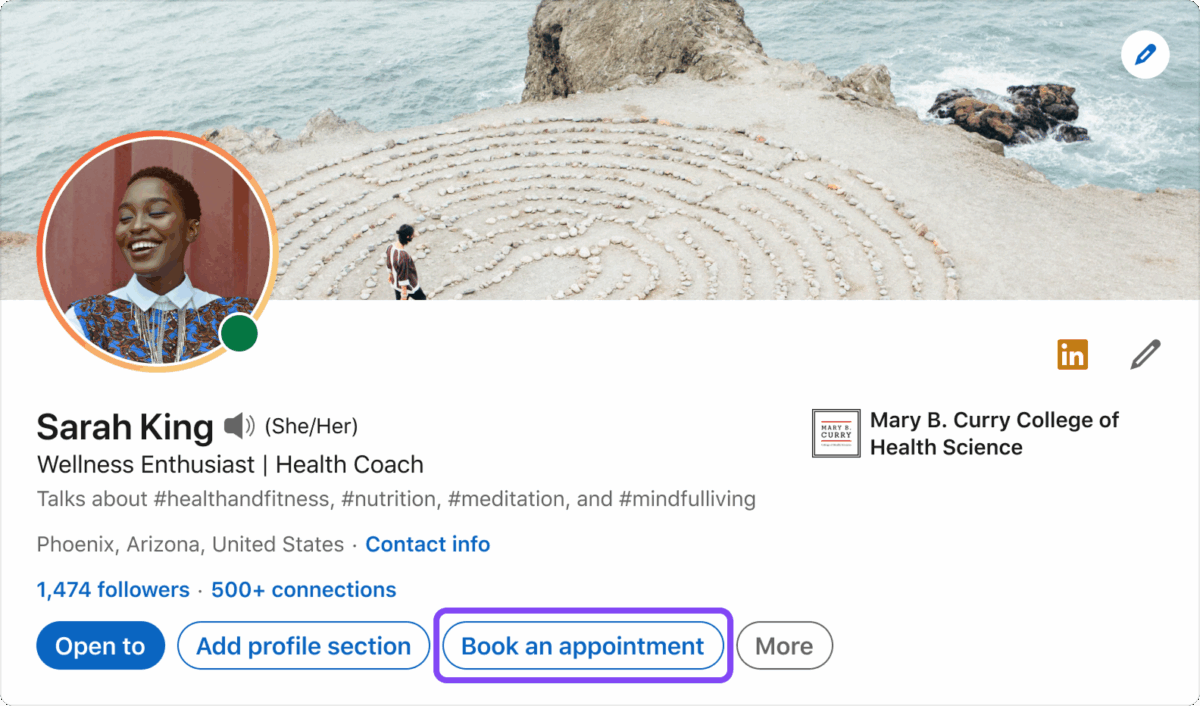
The “Book an appointment” button takes viewers to your Calendly booking page, so they can schedule a meeting with you as soon as they’re interested.
Plus, if you’re using a scheduling tool like Calendly, it’s easier than ever to add a custom ‘Book an appointment’ button to your profile that links to your booking page, so engaged followers can book time with you on the spot.
Corrina Owens, a founder and go-to-market advisor, doesn’t have a website for her business. Instead, she uses a LinkedIn Premium Business profile with a ‘Book an appointment’ button to bring in new client inquiries.

4. Typeform
Typeform is a form builder that makes it easy to build interactive forms, surveys, quizzes, polls, and more.
With customizable layouts, templates, and themes, there are countless ways to use Typeform as a solopreneur. Here are three of our favorites:
1. Get to know your customers: Learning from your customers is a vital part of growing a business. Building feedback forms on Typeform makes it easy to collect feedback and conduct research, so you know exactly what’s on your clients’ minds.
2. Collect more data about prospective clients: Typeform’s lead gen forms make it easy to get the info you need from inbound leads. Use conditional logic to ask specific questions based on how they fill out your form, so you don’t miss any important details.

3. Schedule meetings right from your forms: If you use Calendly to book client meetings, you can embed your Calendly booking page as a question block directly in your forms with the Calendly + Typeform integration.
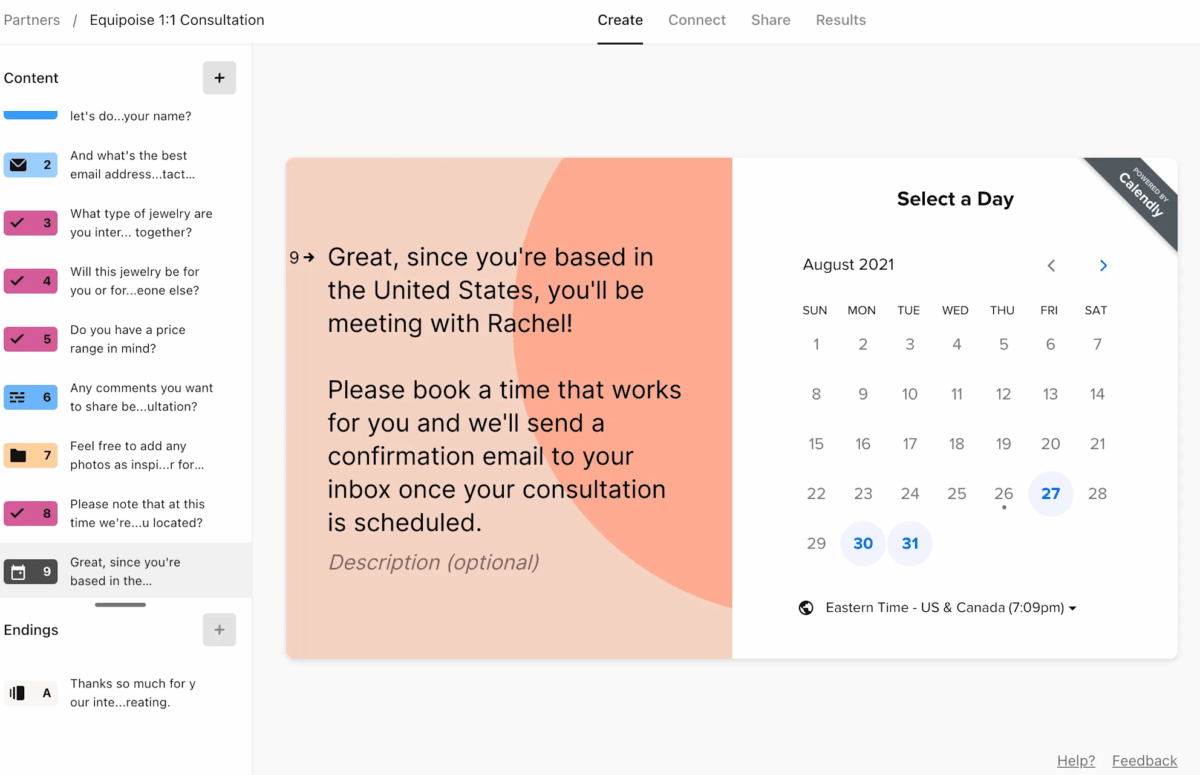
With Typeform + Calendly, you can add a booking calendar right into your form, so it’s easy and fast for prospects and clients to book with you.
You can even choose which booking page the respondent sees based on their responses. Leads and clients don’t have to leave the page to schedule a call with you, and you collect the info you need to prep for the meeting. A win-win!

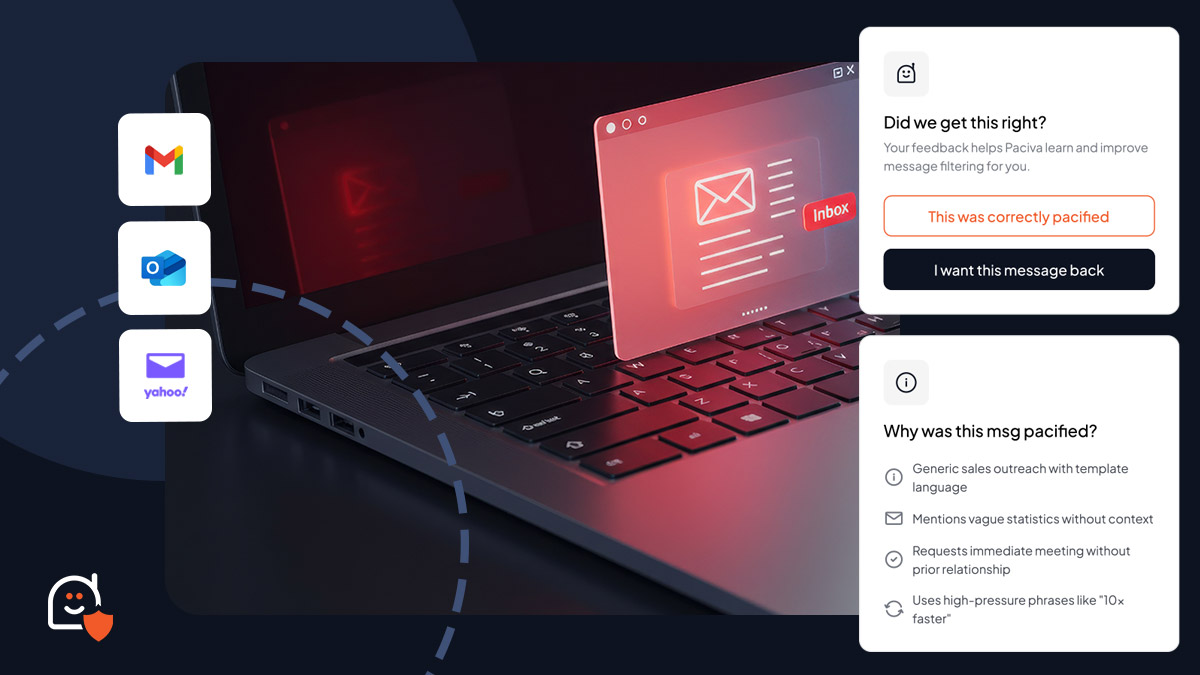 Sales automation helped reps move faster, then it flooded inboxes and crushed trust. Here are eight ways it now hurts pipeline, deliverability, and brand, plus fixes.
 Sales automation helped reps move faster, then it flooded inboxes and crushed trust. Here are eight ways it now hurts pipeline, deliverability, and brand, plus fixes.
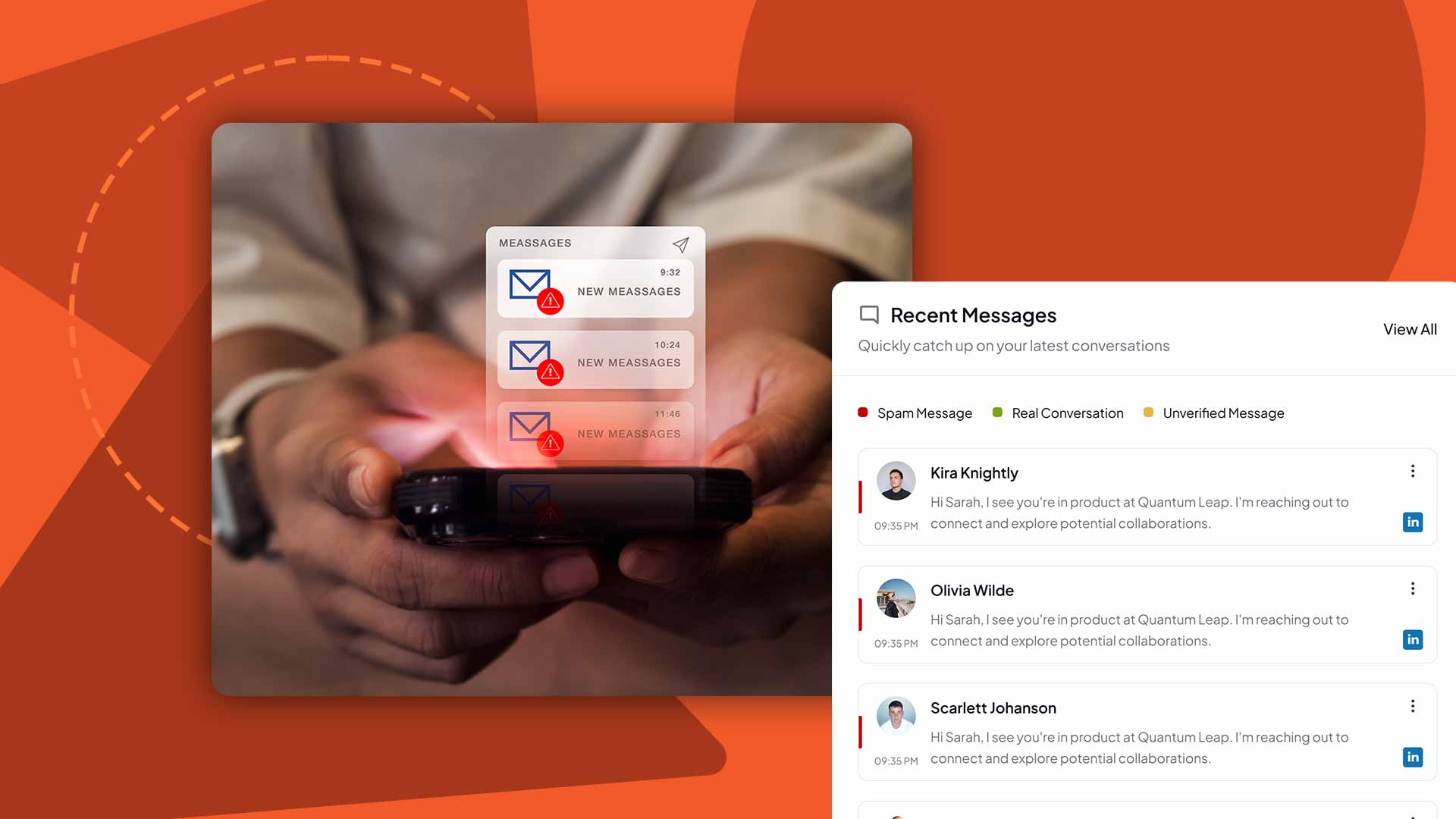 Cold outreach automation keeps escalating as tools get cheaper and smarter. Learn why inbox noise grows, spot it fast, and protect real signal for the long run.